
Pillarworks · Features in detail
Every feature. Named as in the application.
The reference for your selection: ten feature areas in five groups, from the country report to the finished GIR XML file – each with a real excerpt from the application or a schematic graphic.

Year and scopePhases, scopes, strategies
01Phases, scopes, strategies
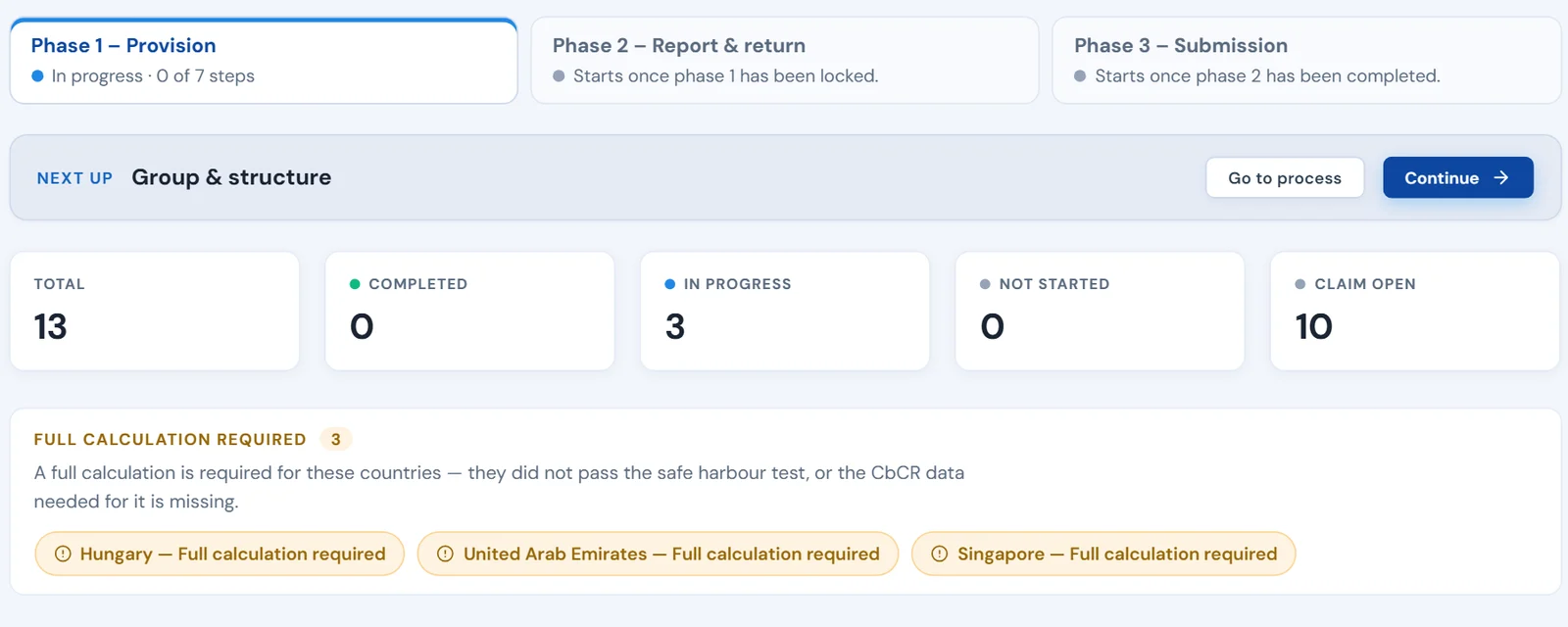
Three-phase model and scopes.
Three phases per group and year, interlocked on one set of data.
How the phases interlock across the year – with scope switch and annual cycle: How Pillarworks works
- Phase 1 · Provision
- Top‑up tax provision for the consolidated accounts, safe harbour approximation using prior-year CbCRs.
- Phase 2 · Report & return
- Full calculation on actual figures in a separate working copy that also serves as the basis for the minimum tax return. The GloBE Information Return is prepared there: checked against the mandatory fields and the implemented validation rules, as GIR XML with country profile.
- Phase 3 · Submission
- Your group submits the finished GIR XML file through the channel the authority provides; Pillarworks does not submit it itself.
- Three scopes per year
- Full compliance, Provision only or Report only – the interface shows only the steps needed.
- Two calculation strategies
- Compute all jurisdictions in full, or run the safe harbour tests first. Then only jurisdictions without safe harbour go into full calculation.
- Lock the year
- The provision computation is retained as evidence; the reporting phase works on a working copy.
Show view · Three-phase model
CaptureStructure, entities, data routes
02Group, entities, CbCR
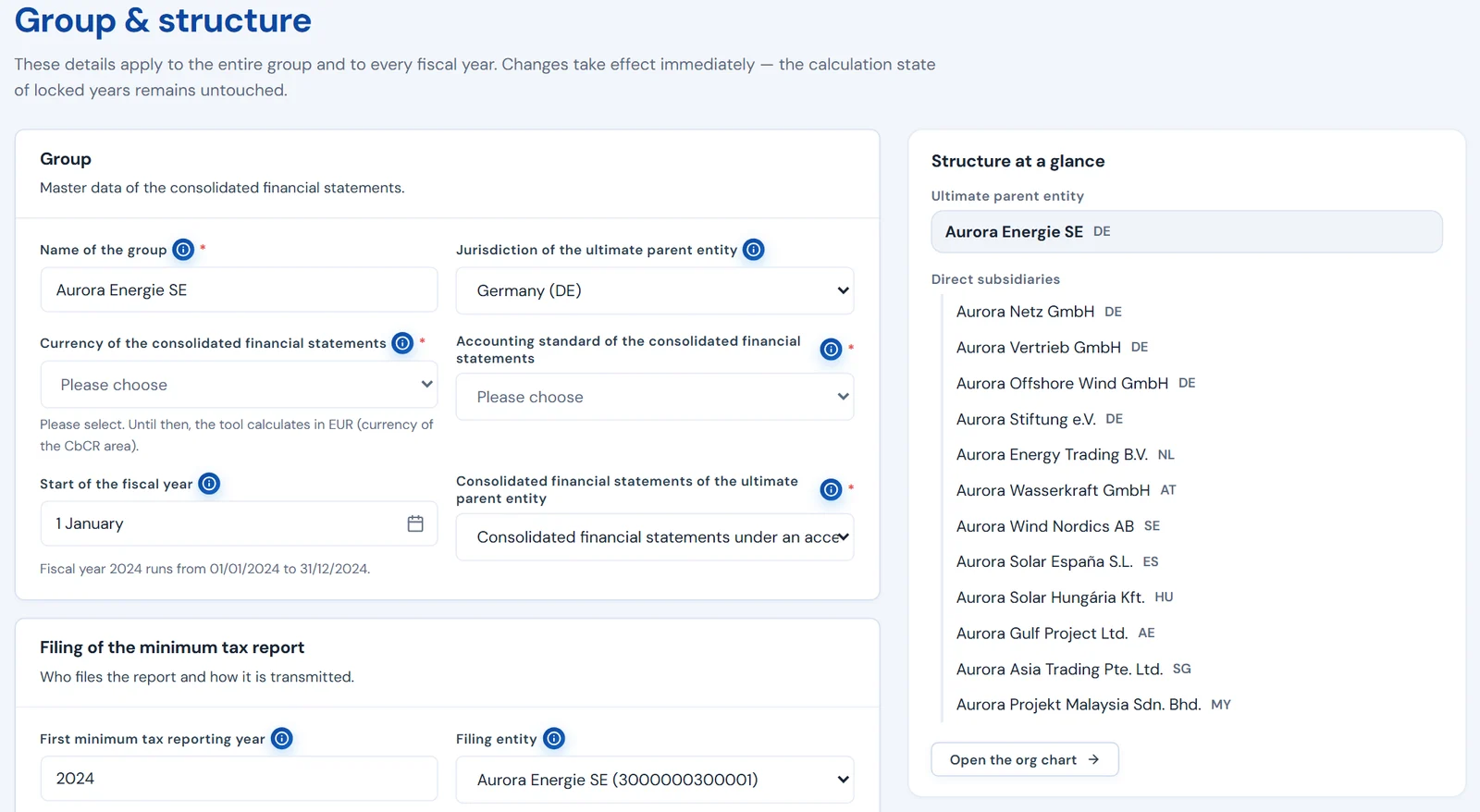
Data collection and group structure.
Entities, ownership interests and special cases as the foundation of every computation.
- Constituent entities
- Ownership structure, partnerships, flow-through entities, tax groups, partially owned parent entities.
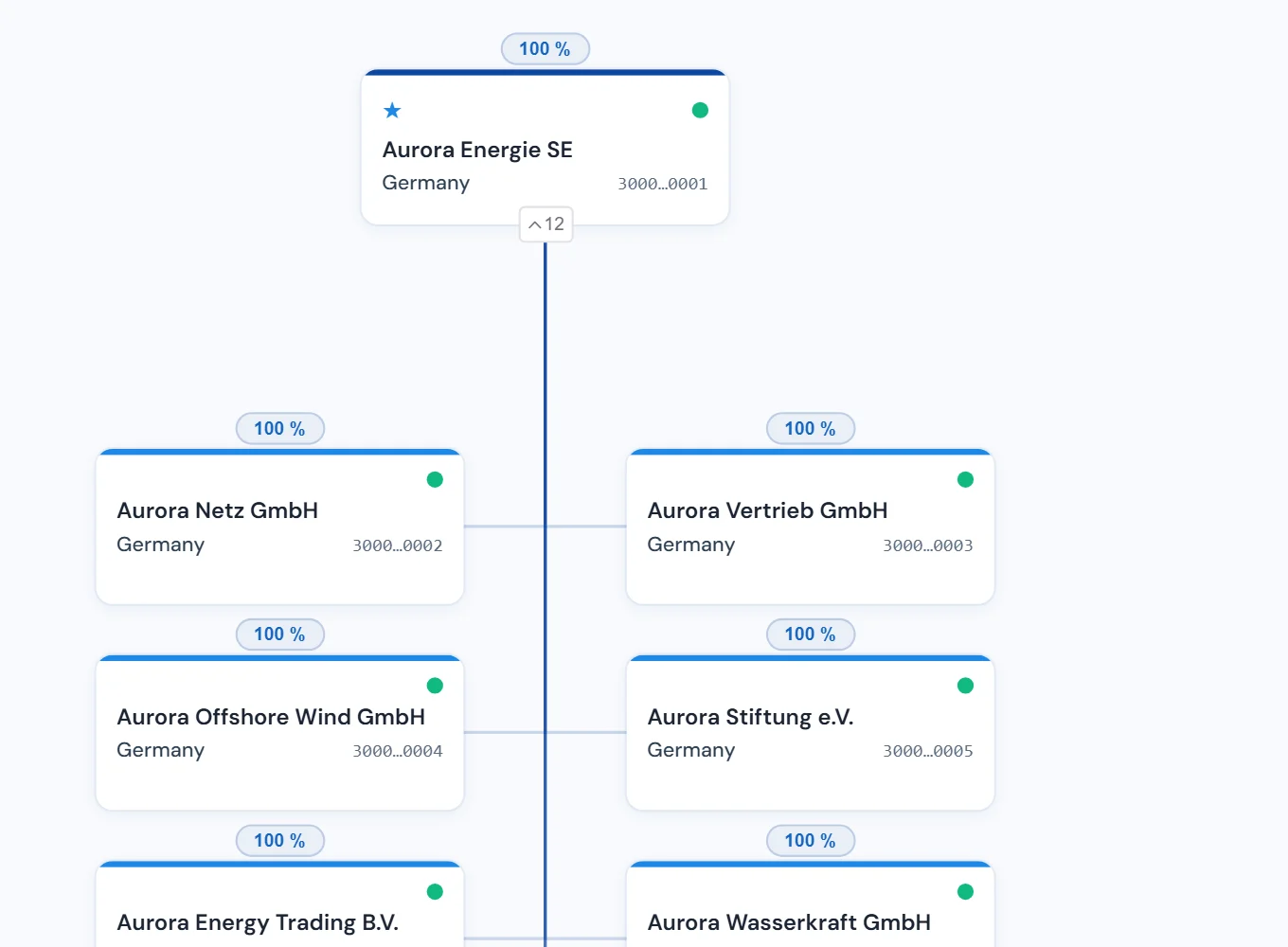
- Interactive org chart
- Drawn automatically from the data, zoomable, with PDF export.
- Guided data collection
- Field by field per entity, step by step, help at every field.
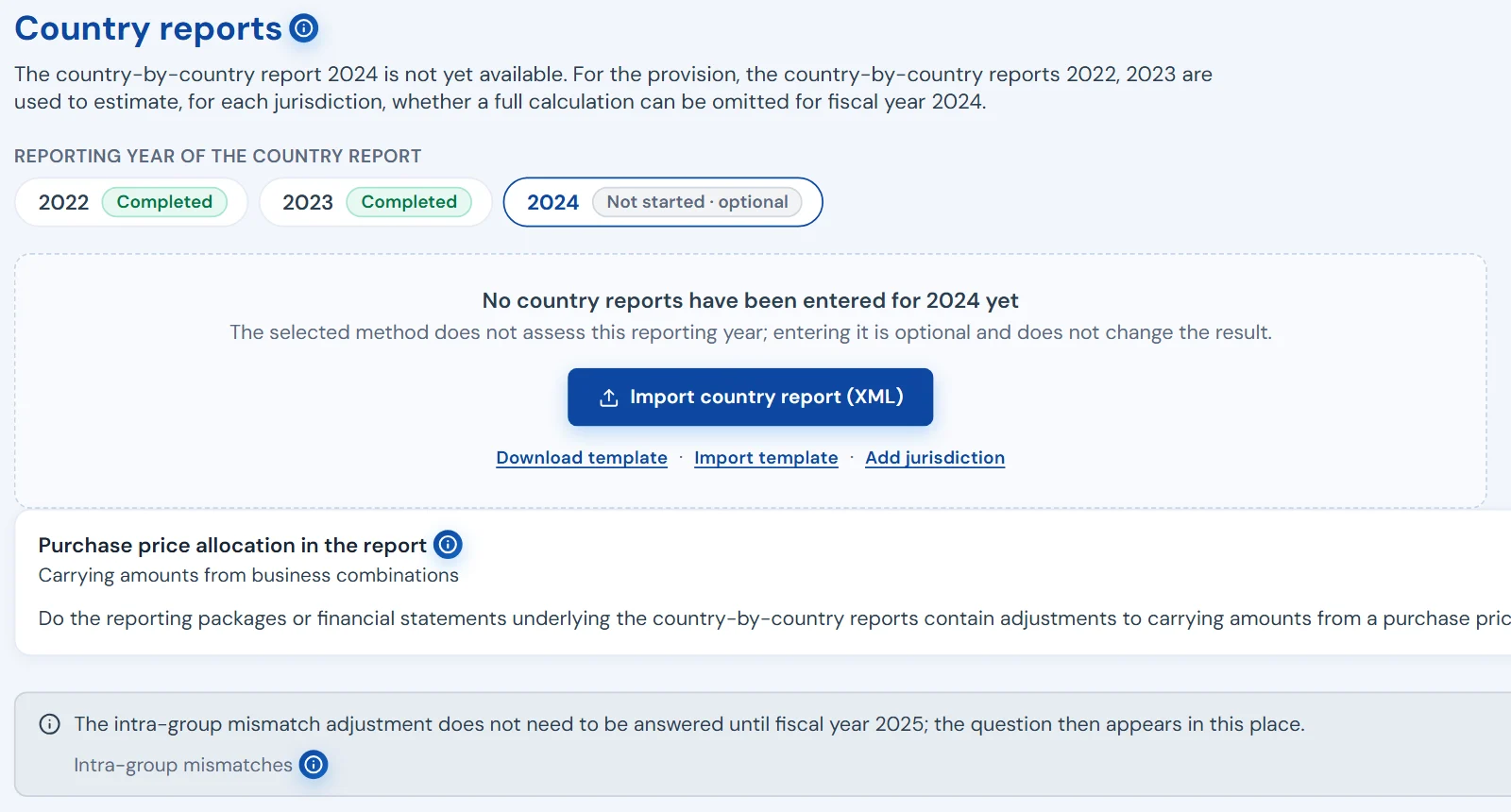
- CbCR entry via three routes
- Excel template upload, manual entry or XML import – one source for safe harbour tests and GIR.
Show view · Data collection
02Area 2 · View
The org chart from the ownership interests.
- Zoom and fit
- From the overall picture into the individual ownership chain and back.
- PDF export
- For closing documents, board papers and for aligning with the local teams.
Show view · The org chart
03What goes in, what comes out
Import and export: what goes in and what comes out.
No ERP integration required. In comes the data your tax department already has. Out go the formats needed for the close, the tax authority and the business units.
- Country-by-country reports in
- CbCR via Excel template, XML import or manual entry – per year, one source for tests and GIR.
- Entity data in
- Guided data collection per constituent entity, multilingual entry templates, help at every field.
- Prior-year GIR in
- Import an existing GIR; group structure and data are pre-filled.
- GIR XML out
- Following the OECD specification with country profiles for Germany, Sweden, Austria and the Netherlands, checked against the mandatory fields and the implemented validation rules.
- Excel out
- The same analyses as under “Analyses”, with the calculation per jurisdiction and per entity.
- Org chart out
- The group structure as a PDF, generated automatically from the recorded ownership interests.
Show view · Import and export
Test and computeSafe harbour, computation, plausibility
04Three tests, claims
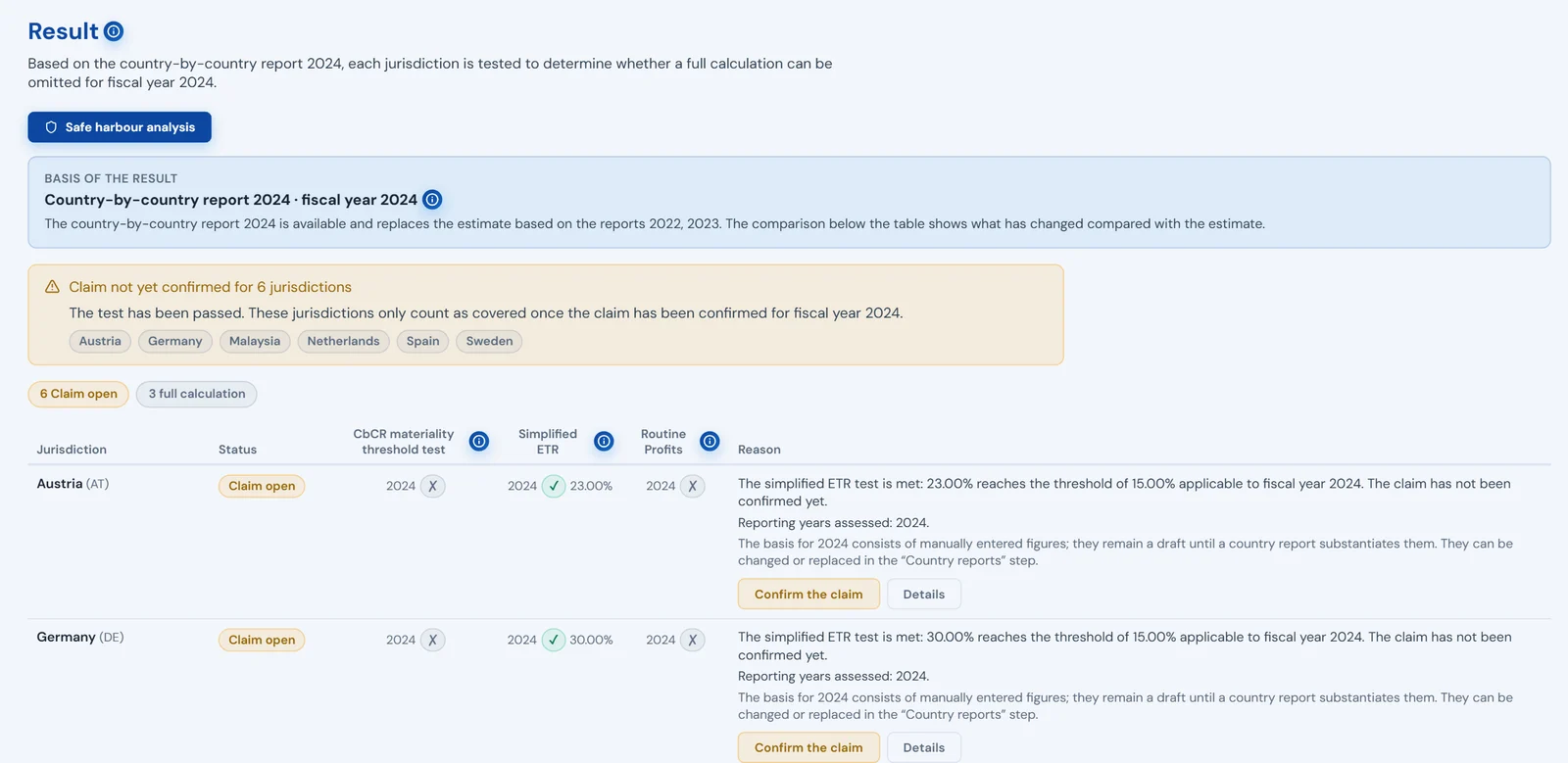
Safe harbour tests on two levels.
The transitional safe harbour on a CbCR basis – tested per jurisdiction and year, effective only if it is claimed.
- Three tests
- De minimis test, simplified ETR with year-dependent thresholds, routine profits.
- Two test levels
- For closing, the approximation using prior-year CbCRs; for the GIR, the CbCR of the fiscal year.
- Prior-year approximation vs. GIR year
- The comparison shows the jurisdictions that require a full calculation on the fiscal year’s country-by-country report, unlike in the prior-year approximation.
- Claim per jurisdiction and year
- Whether the relief is claimed is recorded per jurisdiction and year. A passed test that is not claimed: the jurisdiction is computed in full.
- Computation only where it is needed
- Where a jurisdiction passes and the relief is claimed, no full calculation is needed. Country-by-country reports and the group structure remain the basis for every jurisdiction.
- Permanently excluded
- If the transitional safe harbour is not claimed for a jurisdiction in one year, or the jurisdiction passes no test, it is precluded for that jurisdiction in subsequent years. Pillarworks carries that status through to the GIR XML.
Show view · Safe harbour tests
05GloBE computation, special cases
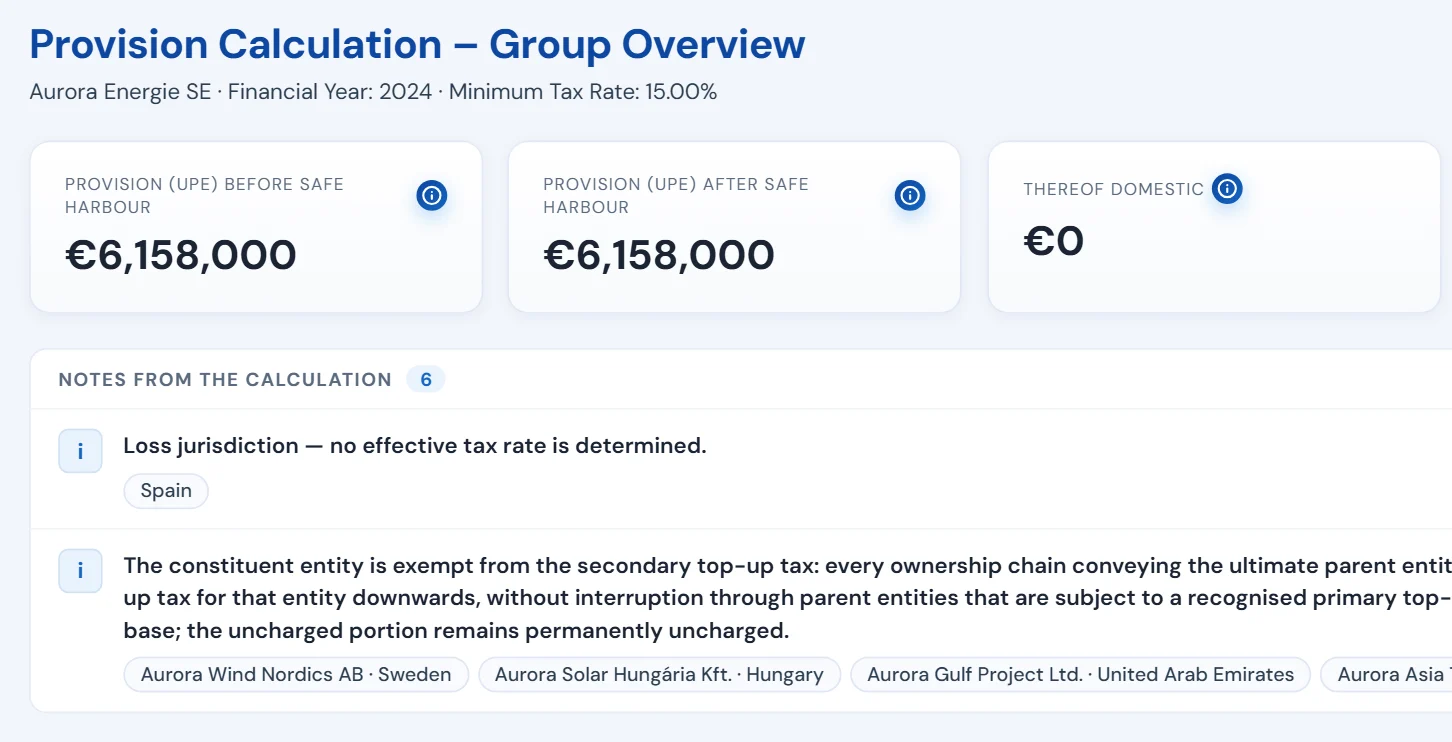
The computation engine with calculation steps.
GloBE computation per jurisdiction and entity, with rule references right at the result.
- GloBE computation
- GloBE income, adjusted covered taxes, deferred taxes, effective tax rate, top‑up tax percentage, top‑up amount, transitional rates of the substance-based income exclusion, loss elections, QDMTT credit, allocation to parent entities including partial ownership.
- German special cases
- Covered in the computation: flow-through structures, tax groups, reduction for a flow-through ultimate parent.
- Traceable calculation steps
- References to the OECD Model Rules and local laws (Germany, Sweden, Austria, the Netherlands) at the result.
- Multi-year capability
- Prior-year snapshots are stored per year; the locked state remains as the comparison basis for the later reconciliation with the final computation.
Show view · The computation engine
06Findings that jump to the field
Plausibility checks before computation and reporting.
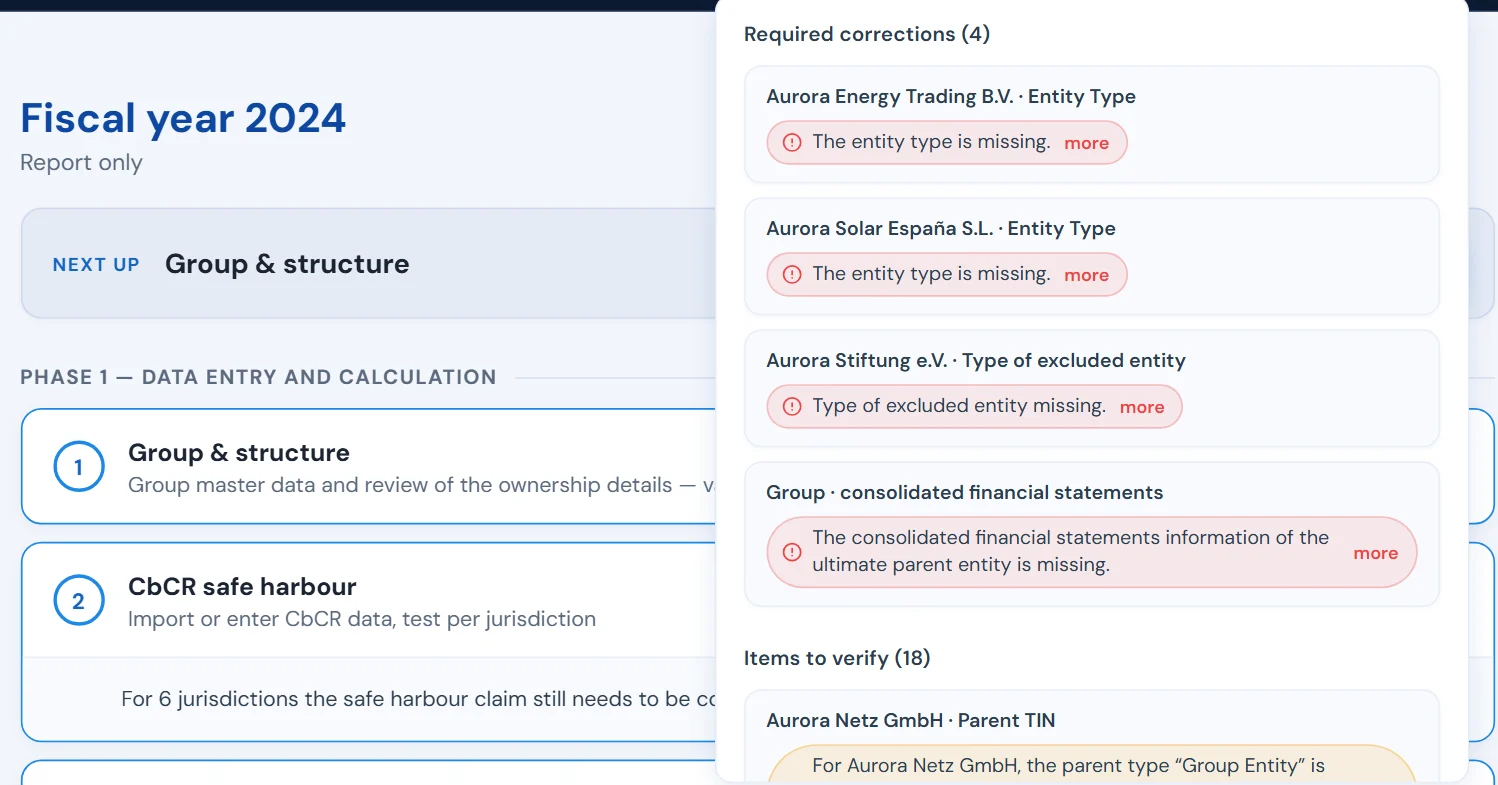
Field, cross-field and group-level checks across all entered data.
- Severity levels
- Every finding is classified: required correction, open decision or item to verify.
- Click jumps to the field
- Every finding leads directly to the place where it is fixed.
- Open items at a glance
- The number of open items stays visible at all times.
Show view · Plausibility checks
ReportGIR XML, analysis, export
07GIR XML, country profiles, import
GloBE Information Return: create, check, reuse.
The GIR XML is produced from the same data as computation and safe harbour tests.
- GIR XML following the OECD specification
- Legal basis and report for Germany, Sweden, Austria and the Netherlands; Sweden and the Netherlands set requirements for the message header, Austria uses the reporting profile of the Federal Ministry of Finance.
- Check before export
- The recorded data is checked against the mandatory fields and the implemented validation rules. The XML file is only produced once the report passes validation without errors. If errors remain, Pillarworks produces the list of open items instead of a file.
- GIR import
- Load a prior-year GIR and pre-populate group structure and data.
- Safe harbour disclosures in the XML
- Safe harbour disclosures and exception sections per jurisdiction sit in the GIR XML – from the same data as the tests.
- Germany German Minimum Tax Act Profile of the BZSt (DIP)
- Sweden Swedish law Skatteverket · OECD format with message header requirements
- Austria Austrian Minimum Taxation Act Profile of the BMF (FinanzOnline)
- Netherlands Dutch Minimum Tax Act Belastingdienst · OECD format with message header requirements
No XML file unless the report passes validation – in every profile.
08Dashboard, world map, Excel
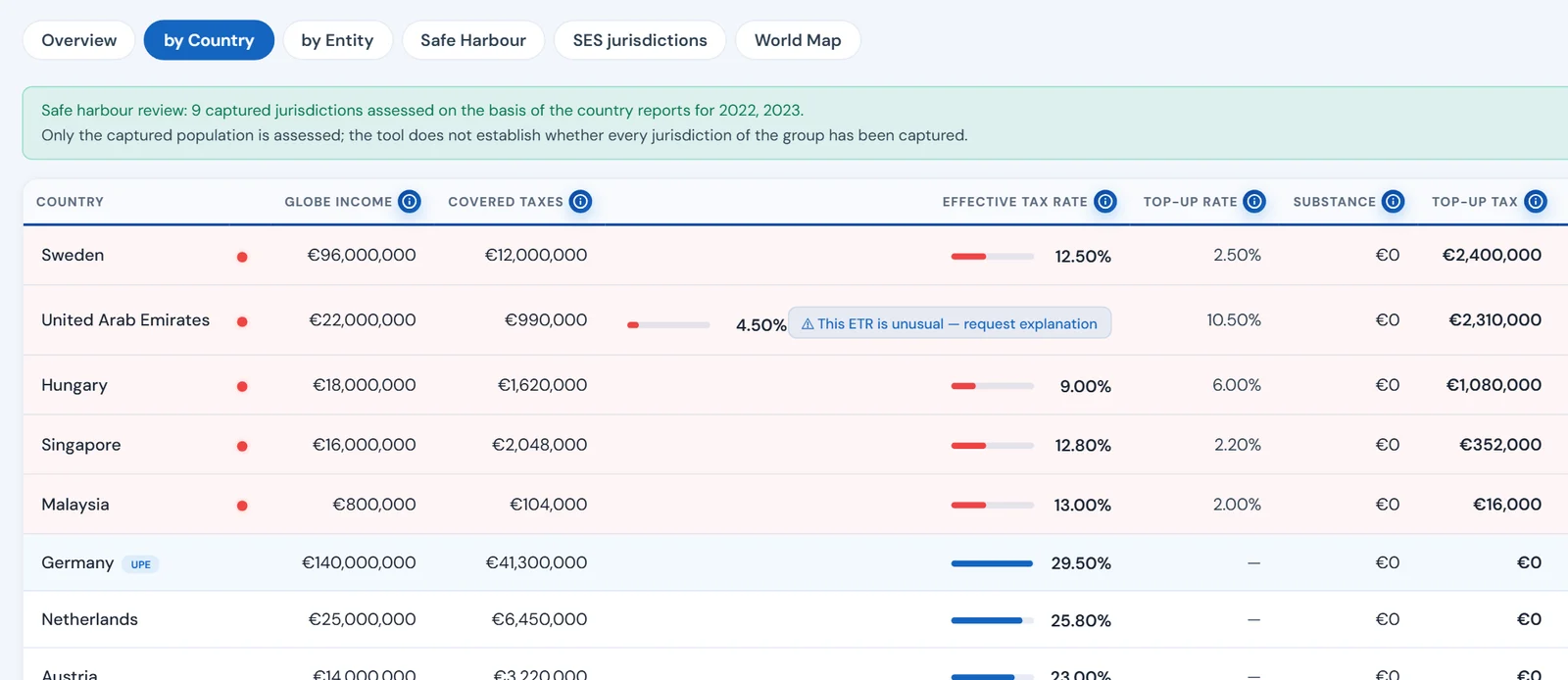
Analyses and exports.
Results you can explain – at the close, to the board and to the auditors.
- Analysis dashboard
- Jurisdiction and entity results, ETR overviews, top‑up amounts, safe harbour finding in plain language per jurisdiction.
- World map
- Low-taxed jurisdictions, jurisdictions at or above the minimum rate and the ultimate parent entity at a glance.
- Excel exports
- Calculation documentation with the calculation per jurisdiction and per entity, CbCR and safe harbour export, constituent entity overviews.
- Entry templates
- German, English and Swedish.
Show view · Analyses
SupportLuCy, three languages
09Field help, knowledge base
LuCy, the AI assistant.
Field help and rule knowledge – software help for questions on the rules and on using the platform, not tax advice.
- Context-sensitive field help
- At every input field: LuCy explains the field and its meaning.
- Curated knowledge base
- Answers based on expert-maintained Pillar 2 knowledge, not on the open internet.
- Separate module
- LuCy is a separate, optional module of the platform.
LuCy · separate module
- Field help
- at every input field
- Knowledge base
- expert-maintained, not the open internet
- Role
- software help, not tax advice
Before go-live, we disclose which data LuCy processes and where.
10German, English, Swedish
Three languages and documented versions.
For groups that work in several countries and have to explain results years later.
- German, English, Swedish
- Interface, exports, templates and rule references – every text in all three languages, automatically checked for completeness.
- Traceability as a principle
- Locked years, Minimum Tax Plausibility Report on the locked computation, recorded deviations, safe harbour finding per jurisdiction.
Languages of the application
- Deutsch
- Interface · exports · templates
- English
- Interface · exports · templates
- Svenska
- Interface · exports · templates
Every text in all three languages, automatically checked for completeness.
See Pillarworks in action.
We demonstrate the features using the fictional group Aurora Energie SE and answer your questions.
Request a demo info@lctechnology.de
+49 211 16451‑100 · L+C Technology GmbH · Kennedydamm 24 · 40476 Düsseldorf, Germany